Palo Alto NGFW Training
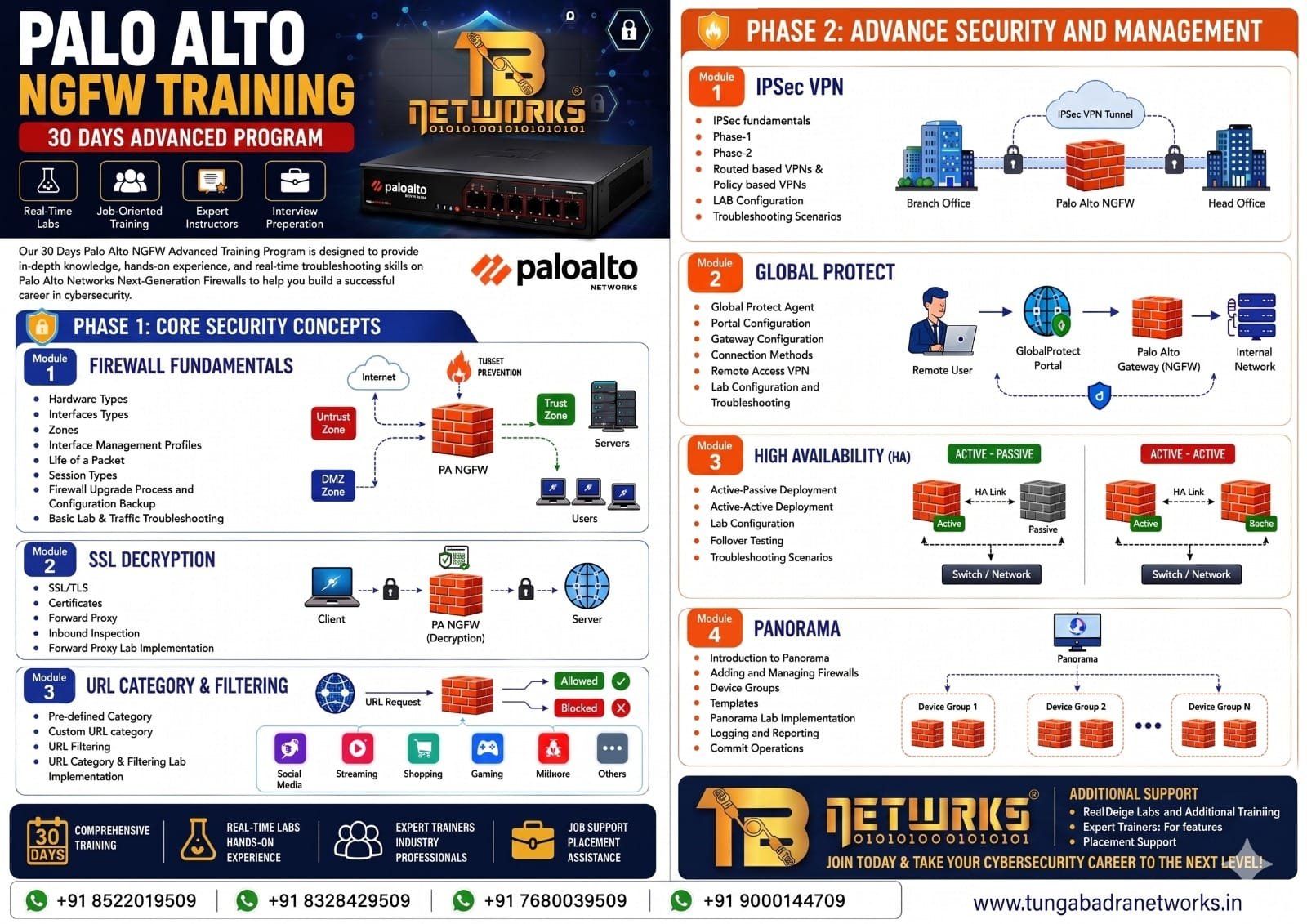
Comprehensive NGFW training: Firewall fundamentals, SSL decryption, URL filtering, IPSec VPN (Phase 1/2), GlobalProtect, High Availability (Active-Passive & Active-Active), and Panorama management.
Course Overview
This hands-on Palo Alto NGFW training covers the complete next-generation firewall stack from fundamentals through advanced features. You will configure security zones, interfaces, life-of-a-packet flow, SSL decryption (forward proxy and inbound inspection), URL category filtering, IPSec VPN (route-based and policy-based), GlobalProtect remote access, Active-Passive and Active-Active HA, and Panorama centralized management — all through real lab implementations and troubleshooting scenarios.
What You'll Learn
Detailed Curriculum
Module 1: Firewall Fundamentals▼
- →Hardware types and platform overview
- →Interface types and security zones
- →Interface management profiles
- →Life of a packet and session types
- →Firewall upgrade process and configuration backup
- →Basic lab & traffic troubleshooting
Module 2: SSL Decryption▼
- →SSL/TLS concepts and certificates
- →Forward proxy decryption
- →Inbound inspection
- →Lab: Forward proxy implementation
Module 3: URL Category & Filtering▼
- →Pre-defined URL categories
- →Custom URL categories
- →URL filtering policies
- →Lab: URL category and filtering implementation
Module 4: IPSec VPN▼
- →IPSec fundamentals
- →Phase 1 and Phase 2 configuration
- →Route-based VPNs and policy-based VPNs
- →Lab: IPSec VPN configuration and troubleshooting
Module 5: GlobalProtect▼
- →GlobalProtect agent, portal, and gateway
- →Connection methods
- →Remote-site VPN setup
- →Lab: GlobalProtect configuration and troubleshooting
Module 6: High Availability▼
- →Active-Passive HA setup
- →Active-Active HA setup
- →Lab: HA configuration
- →Failover and troubleshooting scenarios
Module 7: Panorama▼
- →What is Panorama and managed devices
- →Device groups and templates
- →Lab implementation on Panorama
- →Logging, reporting, and commit management
Tools & Technologies
Career Opportunities
Network Security Engineer
₹6.5-12.0 LPA
Configure and manage Palo Alto NGFW deployments
SOC / Security Analyst
₹5.5-10.0 LPA
Monitor, investigate, and respond to firewall security events
Security Architect
₹10.0-18.0 LPA
Design multi-site NGFW and VPN security architecture
Course Fee
+ ₹2,700 GST (18%) · Total ₹17,700
Course access is valid for 6 months from the date of enrollment.